AdventureWorks Sales Performance and Product Insights Dashboard

Tools Used: SQL Server, SSMS, Python (Pandas, NumPy, Seaborn, Matplotlib), Power BI, Excel
Duration: 4 weeks
Link: GitHub – AdventureWorks_Project

entureWorks is a fictional global manufacturing company provided by Microsoft for sample analysis. The business lacked a centralized system to analyze sales performance, product trends, and customer behavior across regions and time. Stakeholders were unable to make data-driven decisions due to disconnected tables and lack of visual summaries.

My goal was to simulate a real-world business analytics environment by:

  • Cleaning and transforming large datasets from the AdventureWorks .bak file

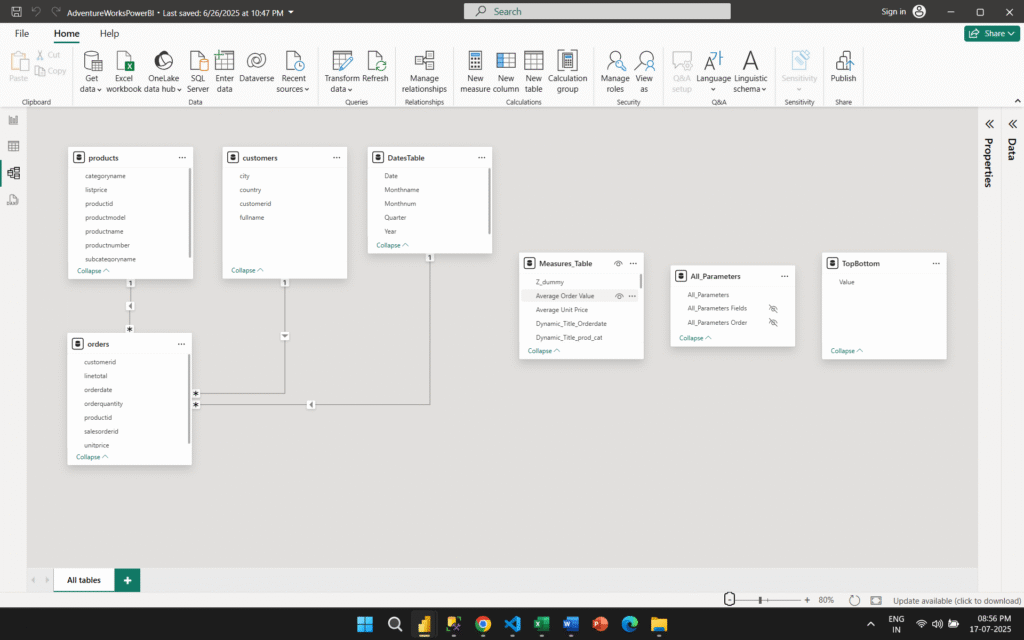
  • Designing a unified data model

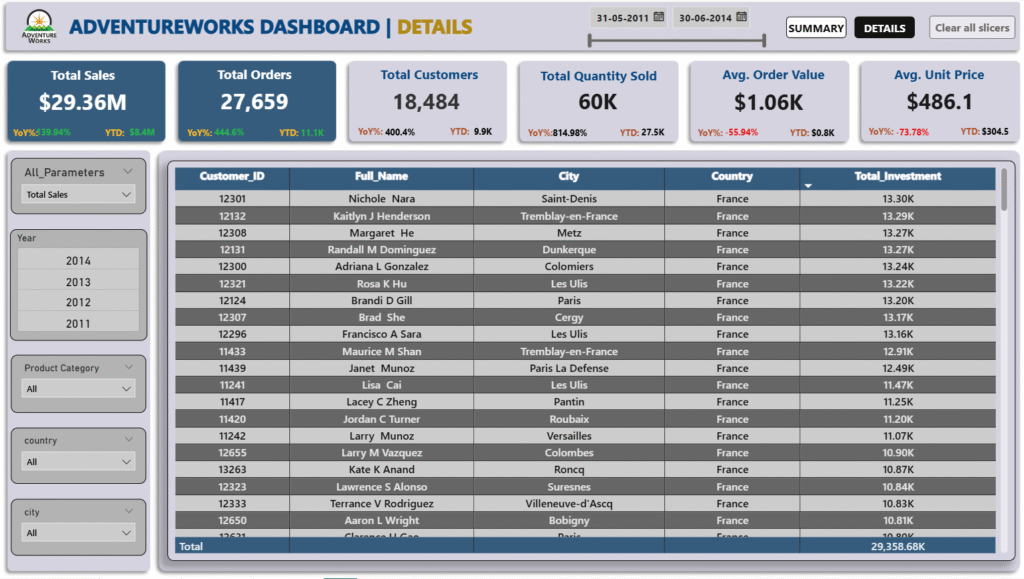
  • Building an interactive Power BI dashboard to deliver key sales and product performance metrics

  • Deriving actionable insights and simulating data-driven recommendations for executive teams
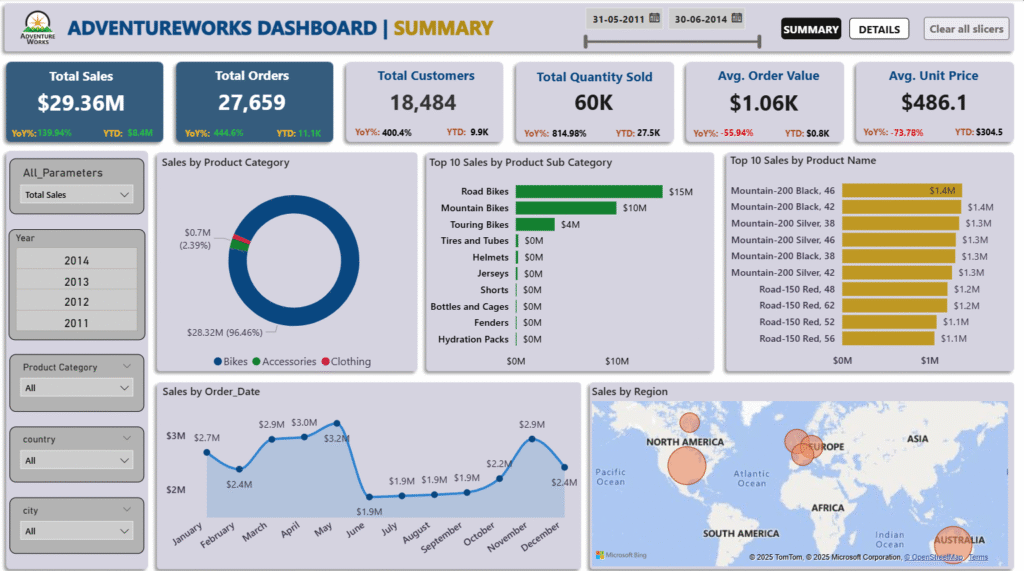
Here’s how I approached the project step-by-step:

1) Data Understanding & Extraction

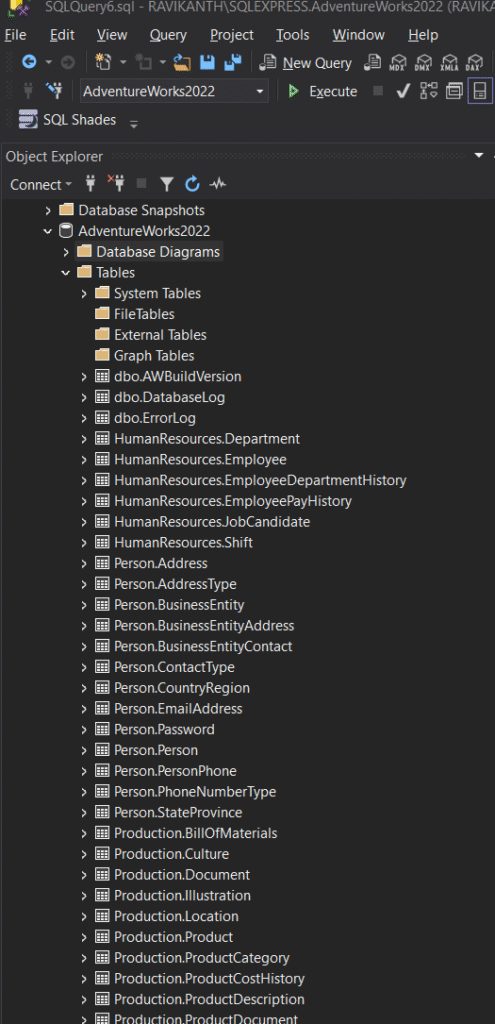
  • Restored the AdventureWorks .bak file into SQL Server (over 71 relational tables across 5 schemas)

  • Selected key tables from Person, Production, and Sales schemas

  • Wrote optimized SQL queries with joins, aggregations, and filters to extract relevant data

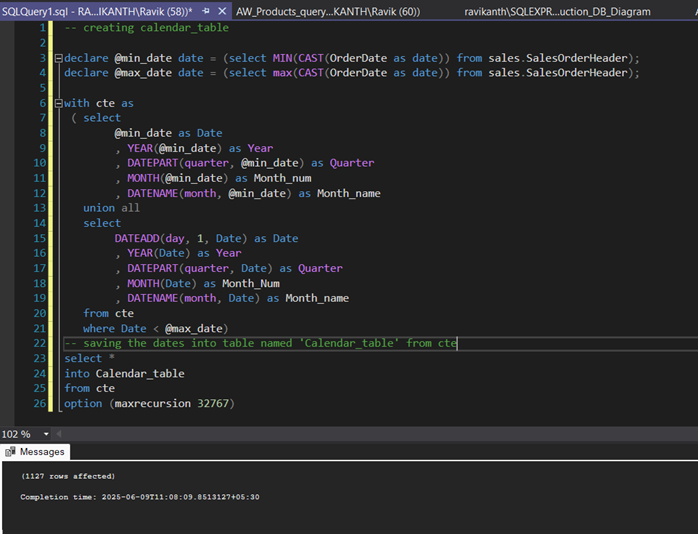
  • Used recursive CTEs to build a dynamic Calendar table

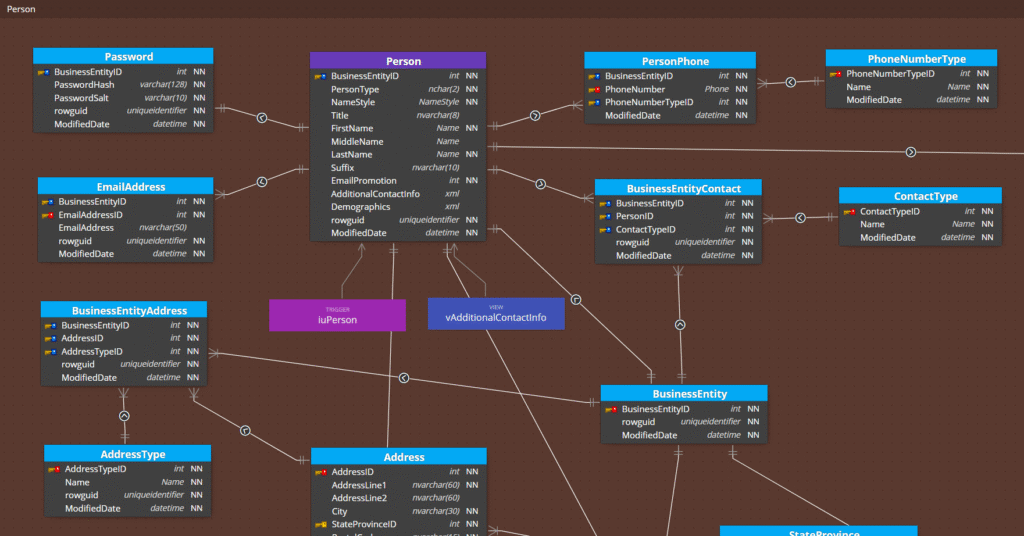
Sample images of Original database Shemas, Tables and Database diagrams are provided below.

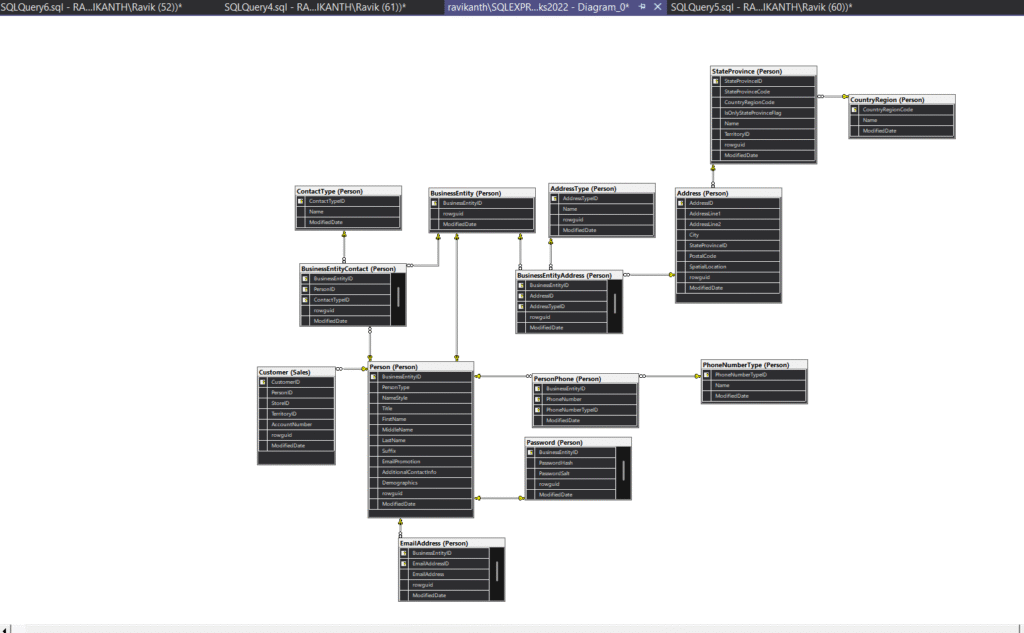
Further, I divided this huge Database into small chunks by considering only the required tables from respected Shemas by running SQL Queries and created Database Diagrams for easy understanding. Schemas and Code Snippets are provided below. 

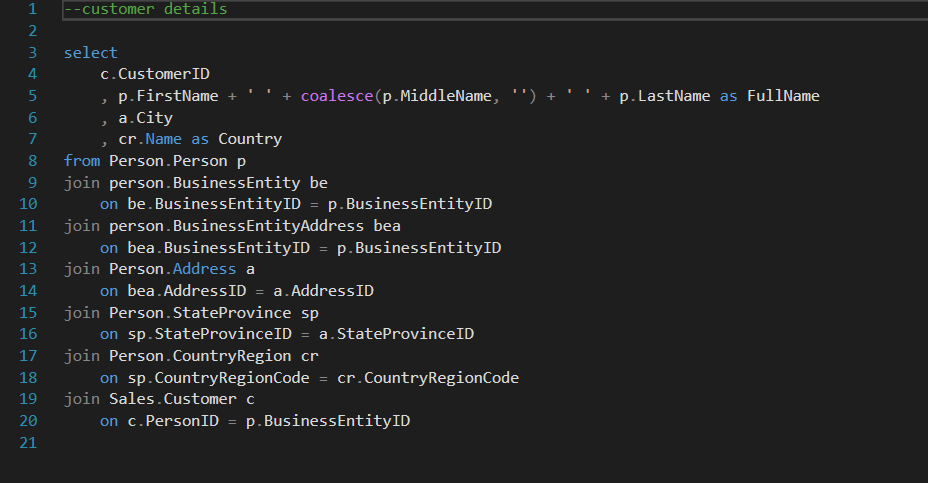
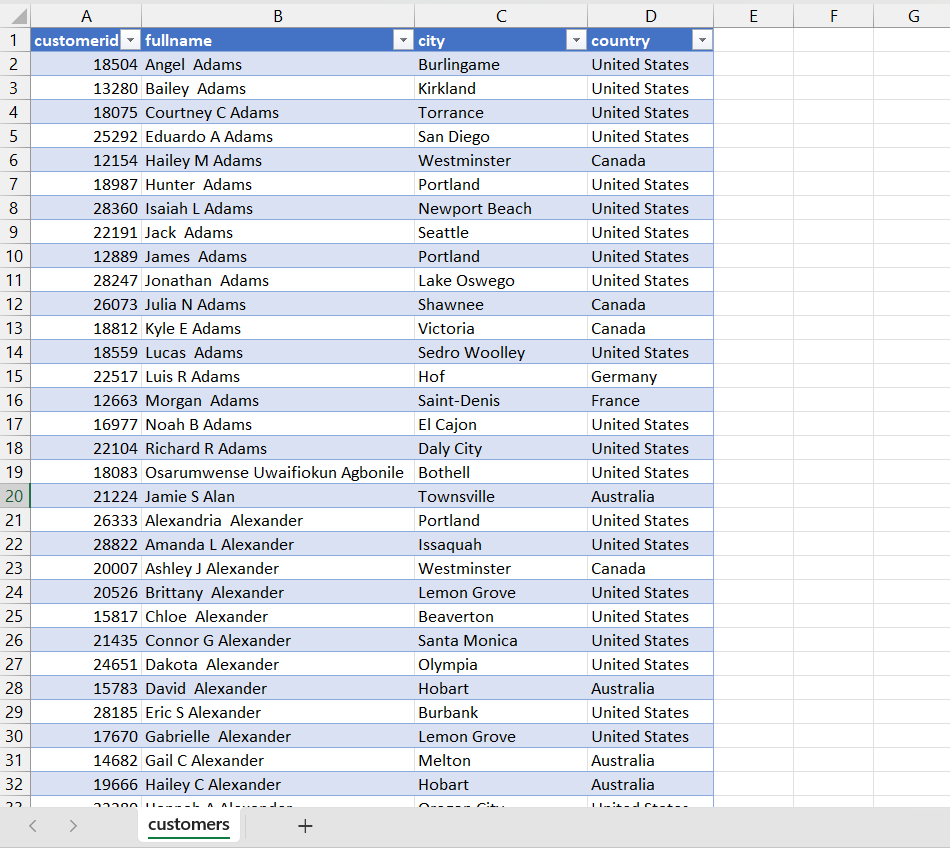
Person Schema Diagram and the code for creating Customer Table with only the required columns from schema:

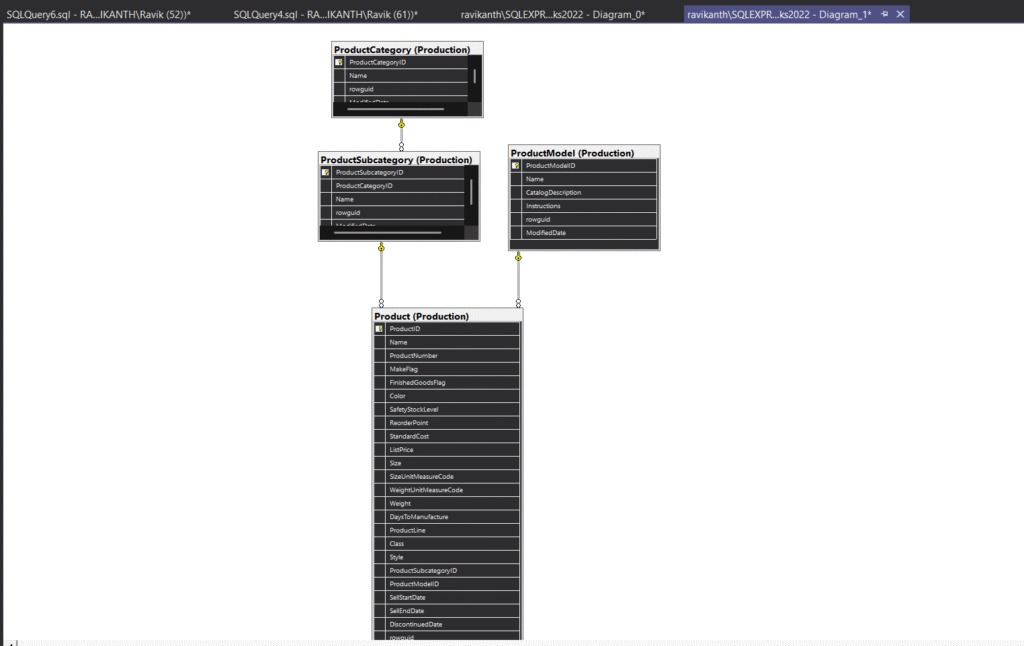
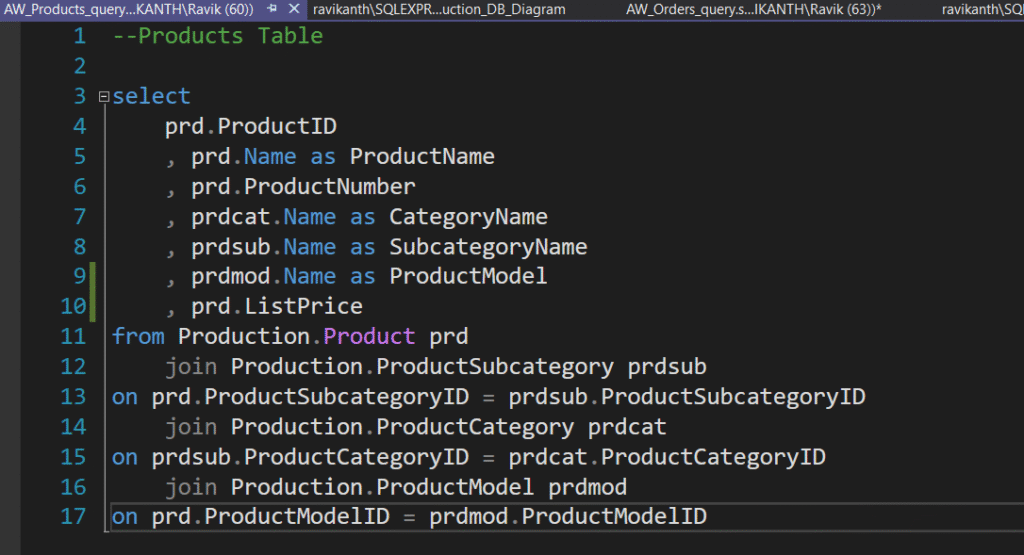
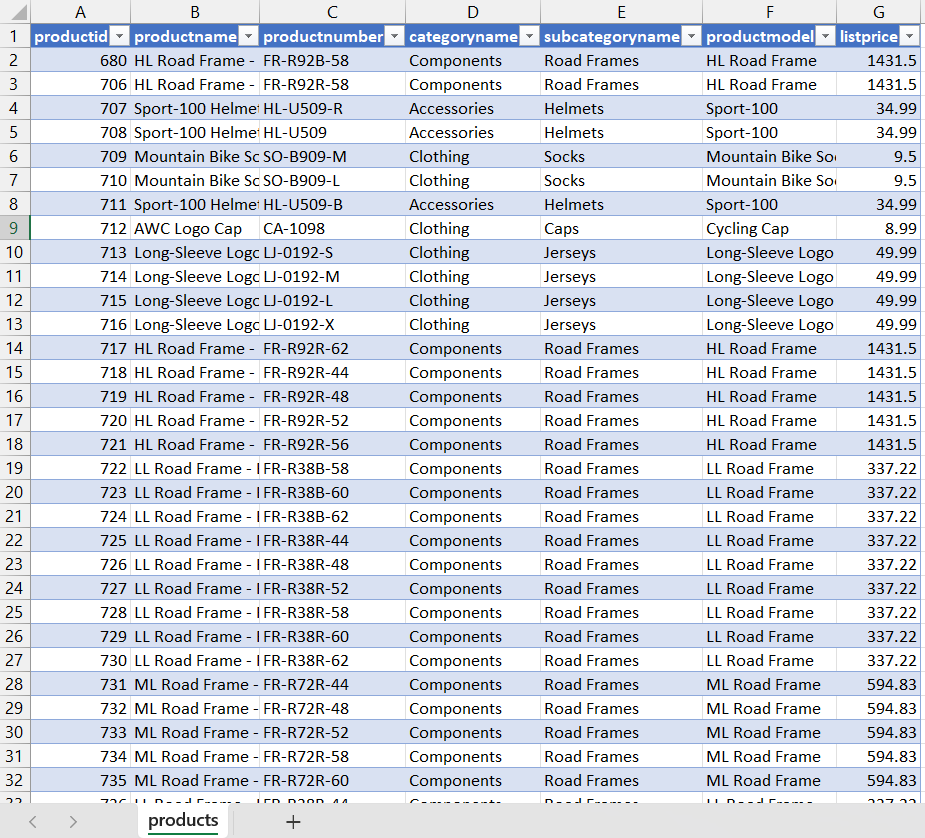
Production Schema Diagram and the code for creating Products Table with only the required columns from schema:

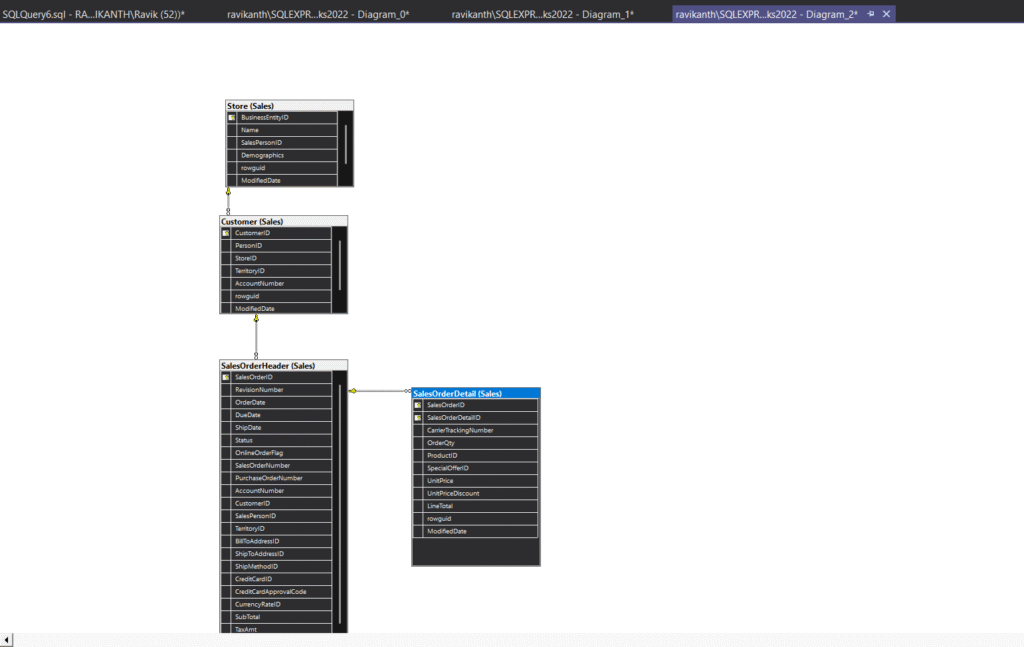
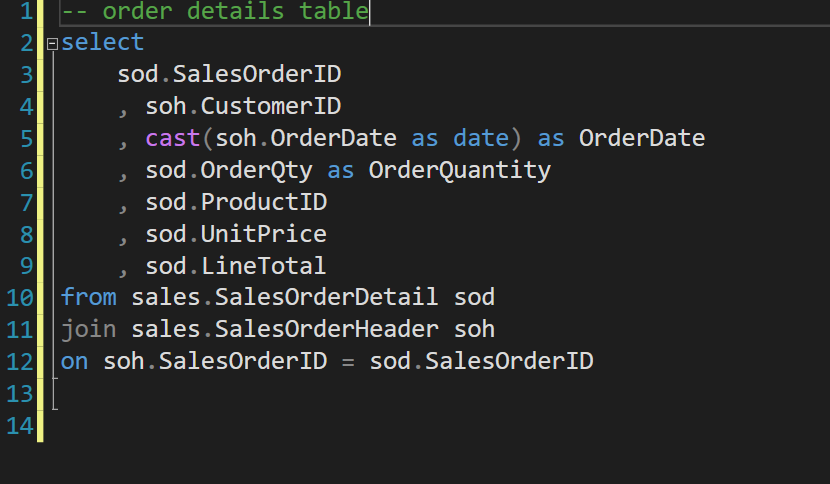
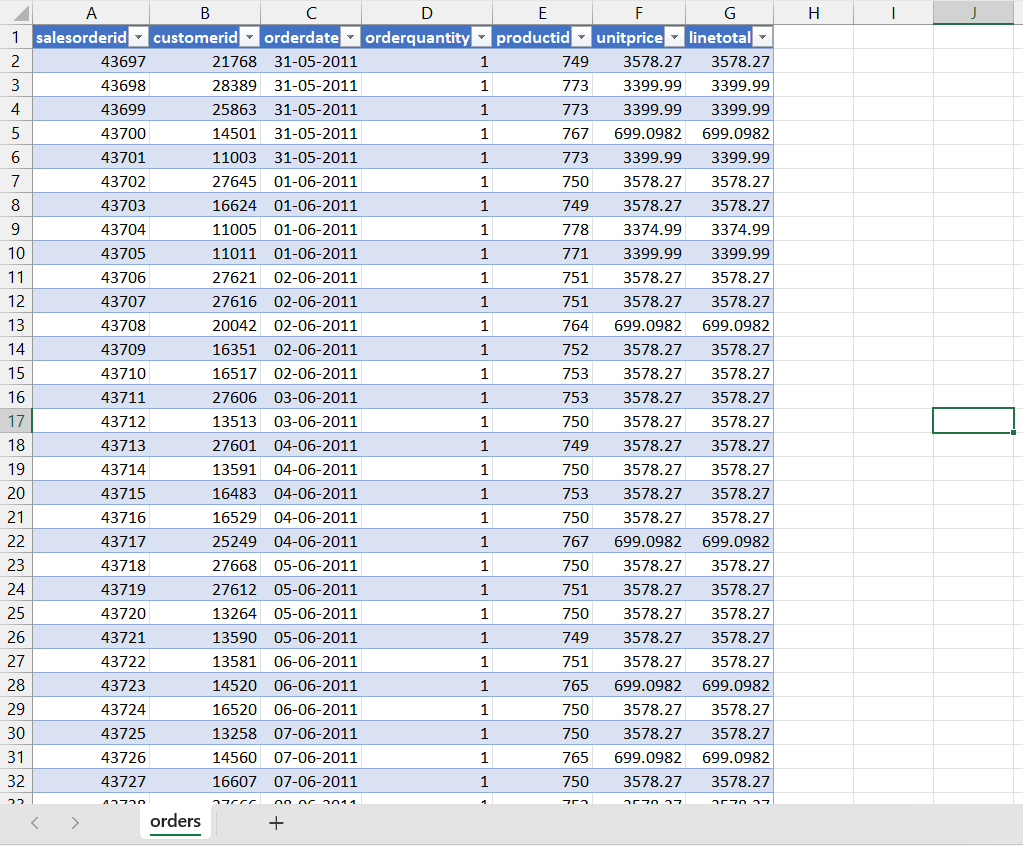
Sales Schema Diagram and the code for creating Orders Table with only the required columns from schema:

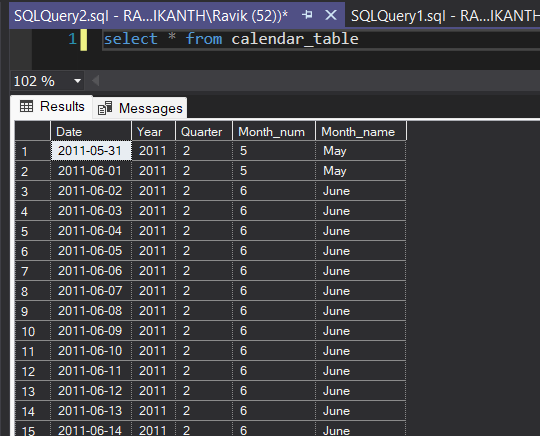
Created Calendar table using recursive cte for getting better results:

2) Data Cleaning & Structuring

  • Exported query outputs to Excel and converted them into .csv files

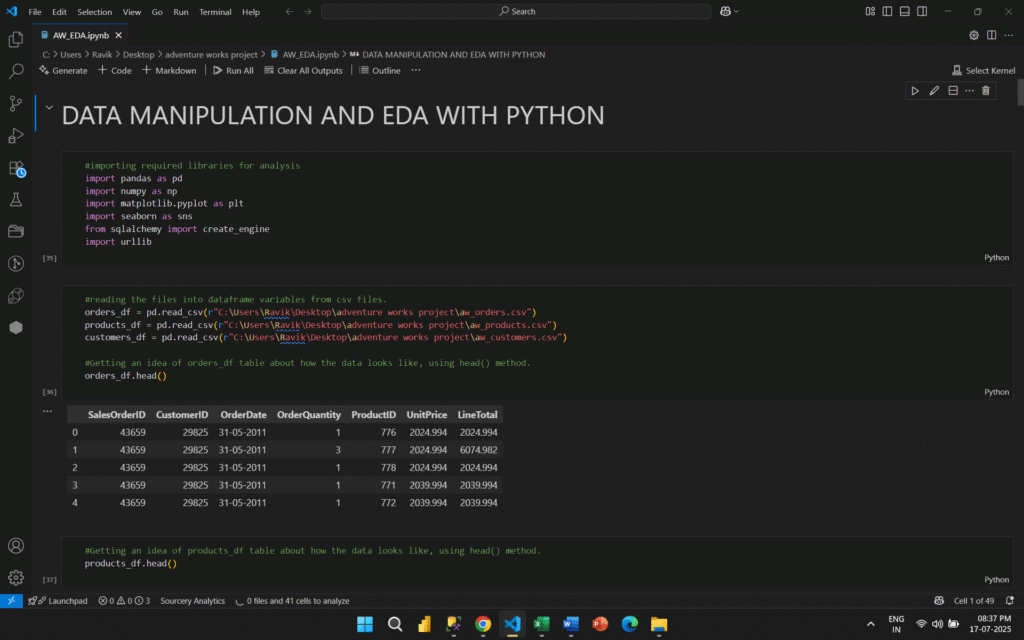
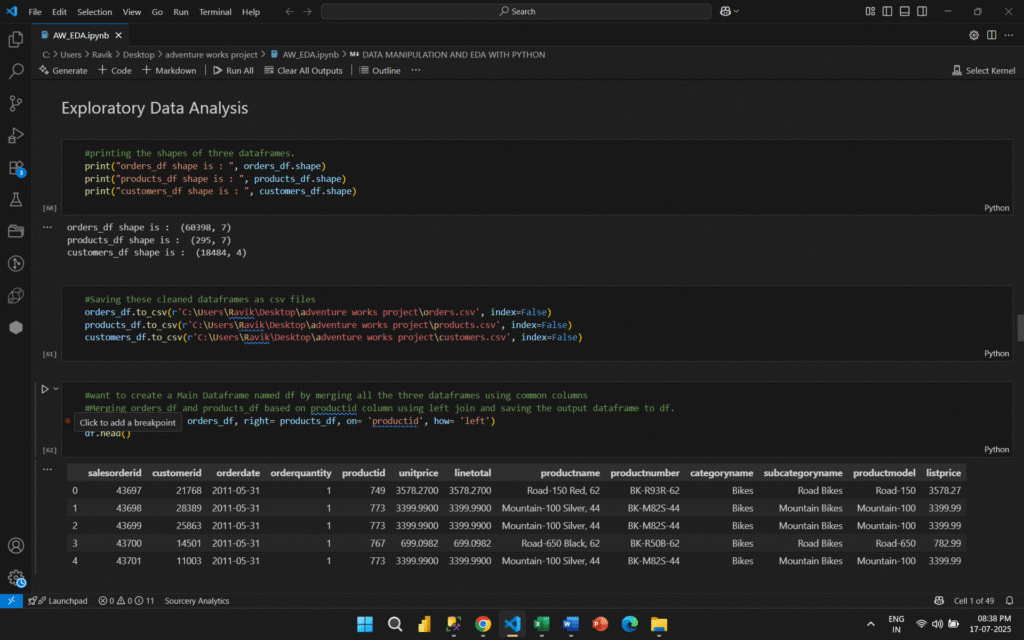
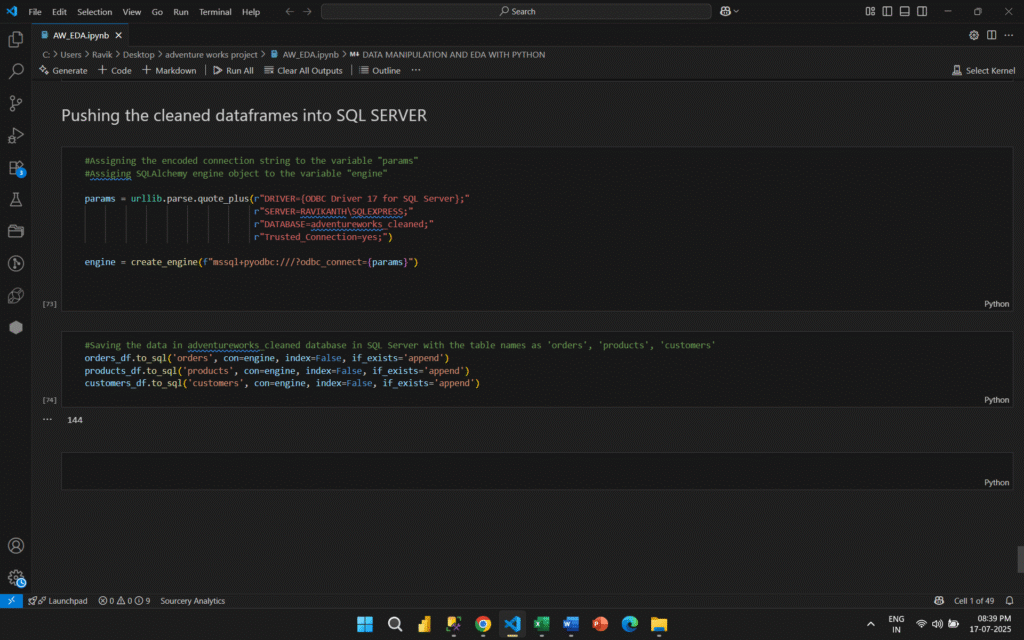
  • Used Python (Pandas and NumPy) in Jupyter Notebook for additional cleaning and EDA

  • Pushed cleaned tables back into a new SQL database for dashboarding

3) Data Modeling & Dashboard Development

  • Connected cleaned data to Power BI

  • Built relationships and a custom Date table

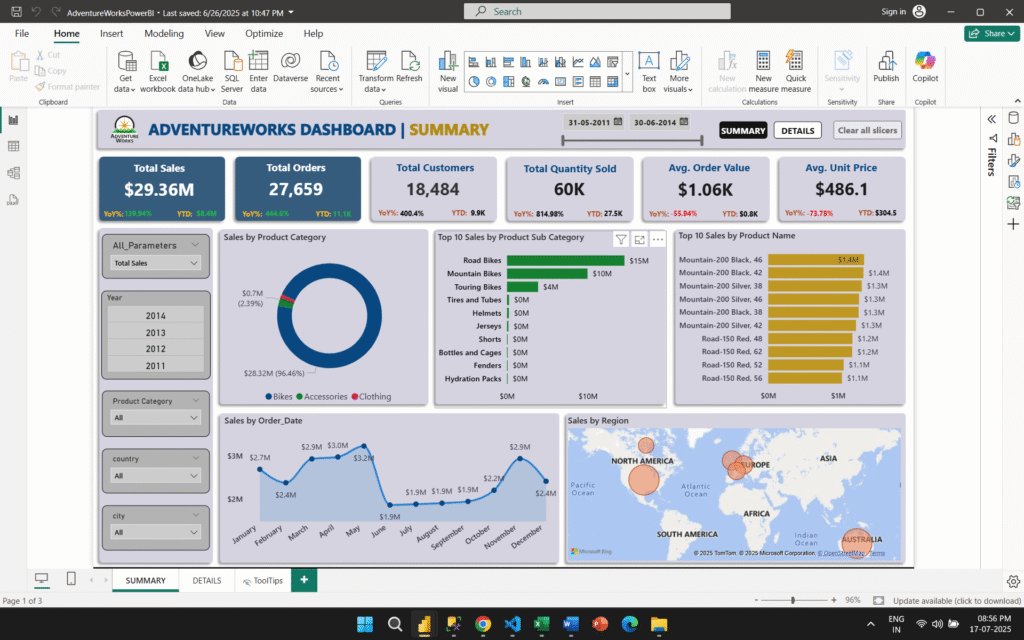
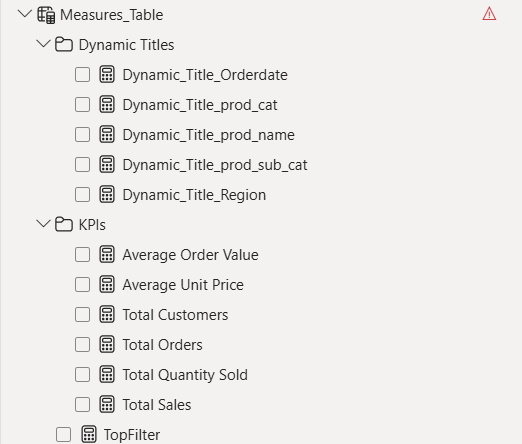
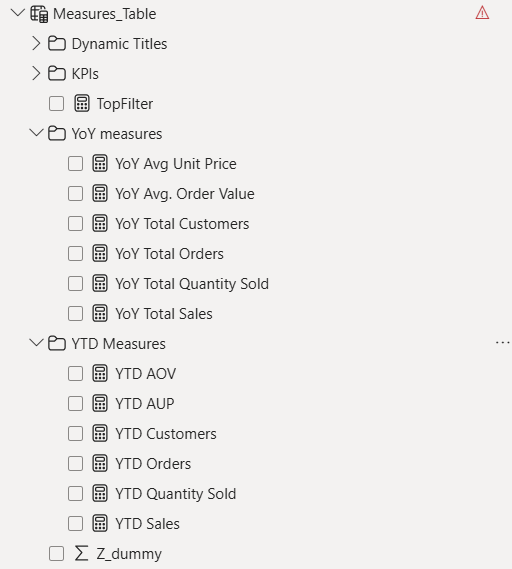
  • Created calculated measures and KPIs using DAX including Total Sales, YoY Growth, AOV, Unit Price, etc.

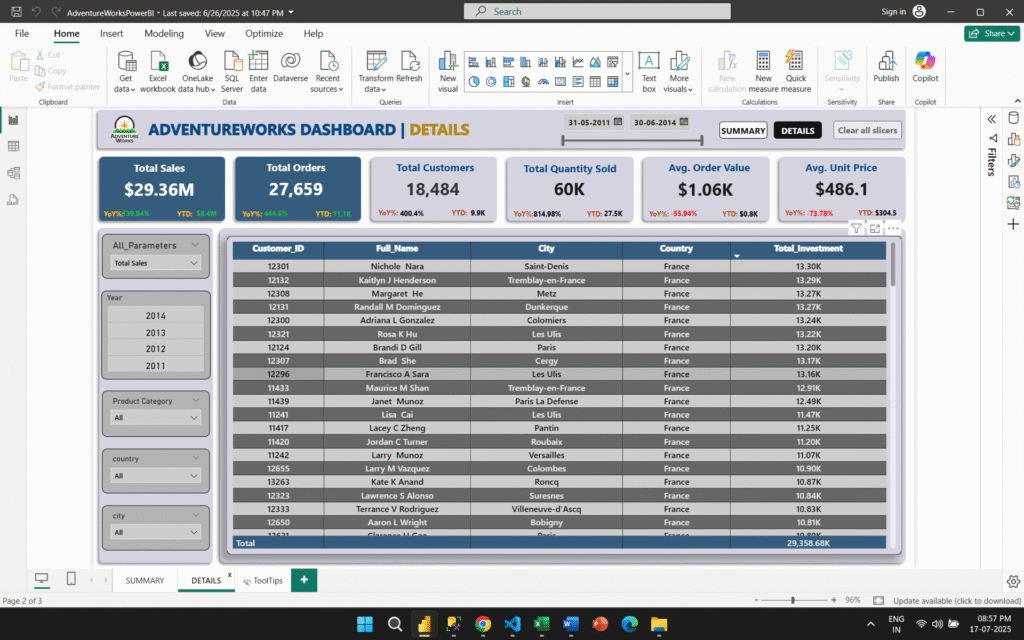
  • Designed multi-page dashboards with slicers, tooltips, drill-throughs, and visuals for product, region, and customer-based analysis

Dashboard Features and Functionality:

  • Created this dashboard by implementing dynamic view with resepct to different KPIs performing in different dimensions using Field Parameters.
  • Additionally, added dynamic titles for more clarity of insights, added different slicers to slice the data to get more precise information. 
  • Created a Date Slider to get the insights in a particular point of time.

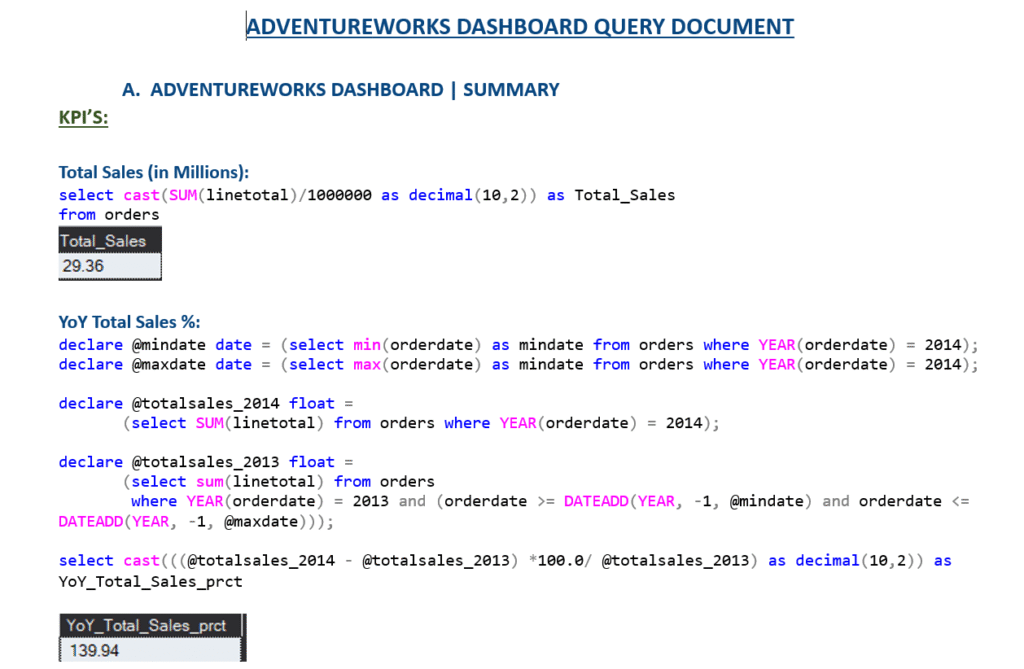
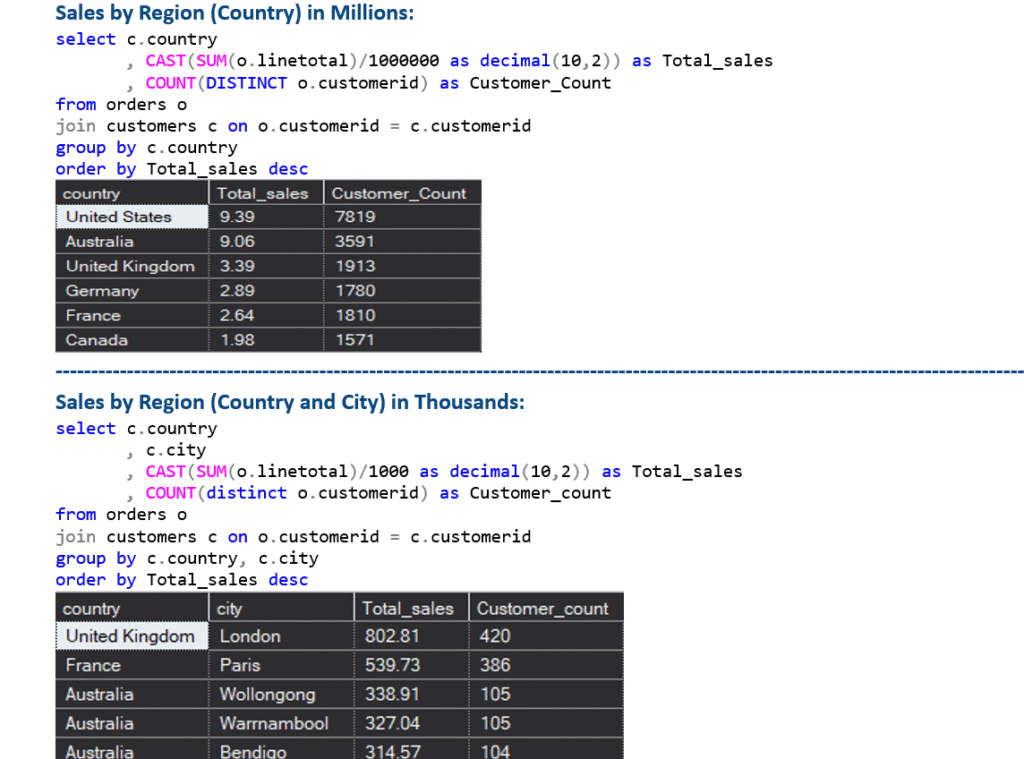
Finally, validated dashboard results by running SQL Queries in SSMS to ensure Data Accuracy.

4) Insights & Recommendations

  • Identified that Bikes contributed over 96% of revenue suggesting reliance on a single category

  • Discovered top customers from France, and strong potential in Canada and Germany

  • Found that AOV dropped by 55.94% between 2011 and 2014 indicating price sensitivity

  • Proposed bundling, cross-selling, and region-specific campaigns to increase revenue and reduce product dependency

Result

  • Built an end-to-end Business Intelligence Solution that answered 10+ stakeholder questions

  • Improved data accessibility and reporting speed through automation and structured queries

  • Created dynamic dashboards that summarized over $29M in sales, highlighting performance across product lines and countries

  • Simulated actionable strategies such as expanding premium product lines, increasing accessory promotions, and focusing on high-potential regions

  • Strengthened hands-on experience in SQL Server, Python for EDA, and Power BI for advanced DAX-based analytics

Project Highlights

  • KPI Metrics: YTD Sales, Total Orders, YoY Growth, AOV, Unit Price, Quantity Sold

  • Key Domains: Sales analytics, product performance, customer segmentation, regional trends

  • Visuals Built: Category/Subcategory analysis, Region-wise performance, Top products/customers, Time series trends

  • Challenges Overcome:

    • Performance lag due to large .bak size resolved using TOP clause for iterative testing

    • Fixed relational integrity errors while designing schema relationships in Power BI

    • Ensured accurate results by validating dashboard metrics using SQL scripts